
There is one thing every signal booster ad leaves out, and it is the thing you most need to know before you spend a dime: a booster amplifies a weak signal, it cannot create a signal that is not there. If the spot you want to fix has a sliver of bars to work with, the right booster can turn it into something usable. If it has genuinely nothing - zero signal outside, not one bar in any corner of the yard - then no booster on the market will help you, no matter what the box promises. Everything in this guide hangs on that one fact, so we are going to start by testing for it, and only then talk about hardware.
If you farm in open country, you already know the problem. Dropped calls coordinating a crew across three fields. A telematics display in the cab that shows "no service" right when you want to send job data. A shop office where you have to walk outside and stand by the propane tank to get a text out. A cellular signal booster can fix a lot of that, but only if you buy the right type for the right job and set the outside antenna up properly. Done wrong, it is an expensive antenna that does nothing.
Before you shop, find out whether you have any signal to boost. Your phone already has the tool for this built in. Most phones have a field-test or engineering mode that shows your actual signal strength as a number in dBm (decibels relative to a milliwatt) instead of the cartoon bars, which lie. On many Androids you can find it under Settings, then About phone, then SIM status or Network. On an iPhone you can dial the field-test code or read the value through the carrier's own app. The number you want is negative, and closer to zero is stronger.
Here is the rough scale. Anywhere around -50 to -80 dBm is strong signal - you do not need a booster there. From about -85 to -100 dBm is workable but marginal, and this is exactly the band where a booster earns its money. Down around -100 to -110 dBm is weak, and a booster can still help if the outside antenna is good. Below roughly -110 to -120 dBm you are at the ragged edge, and once you hit -120 and your phone reads "no service," there is nothing for a booster to grab.
Walk to the exact spot you want to fix - the tractor cab, the shop office, the far machine shed - and read the number there. Then walk outside and up to high ground and read it again, because that outside number is what your booster's donor antenna will actually be working with. If outside you can find even -100 to -110 dBm somewhere with a clear view toward the tower, you have something to boost. If you cannot find any signal outside no matter where you stand, skip the rest of this article and go read the satellite guide instead. That is the honest answer, and it will save you a return shipment.
Every cellular booster, no matter the brand, is the same three-part chain doing one job. An outside antenna, called the donor antenna, captures the weak tower signal. A coax cable run feeds that signal into an amplifier. An inside antenna rebroadcasts the boosted signal into the space you care about, creating a small bubble of usable coverage where there was little or none.
The single most important part of that chain is the outside antenna - its height, its aim, and a clear line toward the tower. Not the amplifier, not the brand badge on the box. Get the donor antenna mounted high, pointed right, and looking at the tower without a metal roof or a tree line in the way, and everything downstream improves. Skimp on the outside antenna and the best amplifier in the world has nothing good to work with. If you remember one install rule, remember that the outside antenna is roughly 80 percent of the result.
Boosters come in two families, and they are genuinely different products with different rules and different antennas. Before you shop, decide which problem you are solving, because the answer picks the gear.
The first family is the vehicle or in-cab booster, built for the tractor, combine, sprayer, grain truck, or UTV. These are designed to grab signal while you are moving and feed it to a small bubble inside the cab. By FCC rule they are capped at 50 dB of maximum gain.
The second family is the building or fixed booster, for the house, the shop office, or the barn. These are allowed more muscle - 65 to 72 dB of gain - because they are covering a much larger indoor area from a fixed, properly aimed outside antenna. You cannot use a building booster to do a cab's job or the other way around. Pick the fork first.
For the cab, the recognizable category leader is the weBoost Drive Reach family, and it is a fair representative of what a good vehicle booster looks like - though Wilson, SureCall, HiBoost, and Bolton all make comparable kits, so treat this as the category, not the only option. The standard Drive Reach is the general vehicle unit. The Drive Reach OTR variant uses a tall whip antenna built for the height of a truck or heavy equipment cab and advertises meaningfully greater reach than a standard vehicle booster. All of them share the same 50 dB amp and support 5G across the major US carriers - Verizon, AT&T, T-Mobile, and UScellular. It is worth noting these turn up in farm retail channels like Tractor Supply, which tells you real operations are buying them.
One practical install detail makes a bigger difference than people expect: mount the inside antenna right where the phone or tablet actually sits. In very weak conditions, the closer your device is to the inside antenna, the more boost it actually receives. Tuck the inside antenna behind the dash cradle where your phone lives and you will get far more out of it than if it is stuck under the seat across the cab. A vehicle booster does a real job for your phone, your tablet, and a cab hotspot. It will not blanket the field, but it will keep your calls and your data link alive in the seat where you work.
This is where it is easy to overpromise, so let us be straight. A cab booster genuinely helps a phone, a tablet, or a standalone hotspot in the cab, and through a hotspot it can improve the link for connected gear that rides on a cab or personal device - remote sensors, in-cab apps, that kind of thing.
The caveat: many factory telematics systems - JDLink, AFS Connect, and the like - have their own roof or cab antenna and their own sealed modem. A generic in-cab booster does not automatically fix an OEM telematics box, because that box is not listening to your inside antenna unless its own antenna happens to sit inside the booster's coverage bubble. So the honest, reliable win is a solid hotspot and dependable phone data in the cab. Better signal for an OEM telematics module is a maybe, and it depends entirely on where that module's antenna lives. Do not buy a booster expecting it to cure every telematics dropout on a hard-wired factory system.
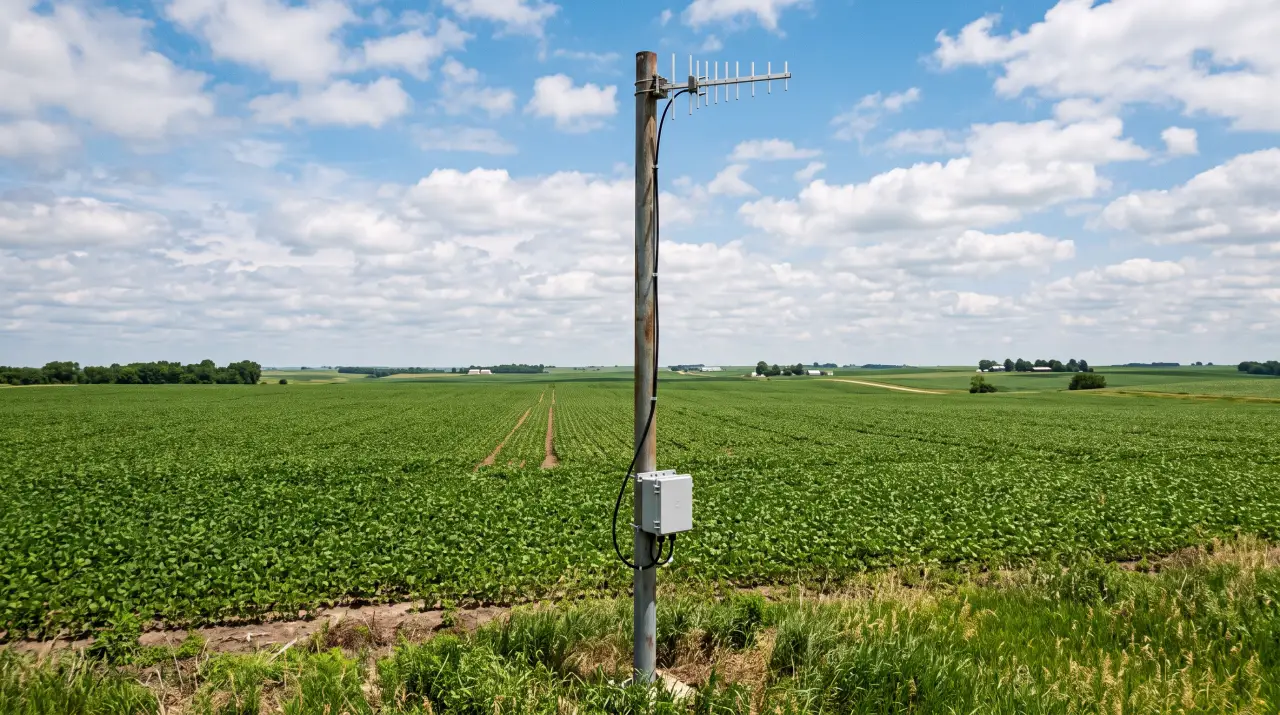
For a fixed building, you get the bigger 65 to 72 dB units and a critical antenna choice. In open country, where you are usually pulling from a single distant tower, a directional outside antenna is the rural cheat code. A Yagi or LPDA (log-periodic) antenna focuses its reach in one direction - straight at the tower - and rejects noise from everywhere else, which is exactly what you want when there is one tower 8 miles off. An omnidirectional antenna only makes sense when you are pulling from several towers at once or when the antenna is on a moving vehicle.
Aiming a directional antenna is a real step, but a doable one. Use your carrier's tower map to find the rough direction, mount the antenna high, and then fine-tune it by watching the dBm number on your phone while a second person nudges the antenna a few degrees at a time. Lock it onto the strongest reading and bolt it down. Coverage inside scales with the unit's gain and the strength of that outside signal, so a stronger donor signal and a higher-gain unit cover more square footage.
Here is the part the keyword "field connectivity" is really about, and the honest version matters. A booster is a point fix. It makes a marginal signal solid for the device right next to its inside antenna. It does not carpet 160 acres with LTE, and anyone who tells you it does is selling you something.
When you need data at the field edge - a pivot controller, a weather station, a hotspot at a remote shed - the working pattern is two pieces. First, a booster to turn the marginal cell signal at that location into a solid, reliable one. Second, a 4G or 5G router or hotspot at that point to take the now-solid connection and share it over Wi-Fi to the devices nearby. The booster strengthens the connection point; the router spreads it. If you then need to push that signal further across the property, that is a job for a mesh or point-to-point Wi-Fi bridge, which is a topic in its own right and one worth reading up on separately. For now, the rule is simple: boost the cell signal you have, then put a router on top of it to share it.
Cellular boosters are legal in the US, with one easy step. Under FCC rules (47 CFR 20.21), a consumer signal booster has to be FCC-certified and registered with your wireless carrier. The good news is that all the major carriers - Verizon, AT&T, T-Mobile, UScellular - have already given blanket pre-approval, so registration is a quick online form on the carrier's site, not a real hurdle. Buy an FCC-certified consumer booster, register it, and you are done.
The one thing to watch: industrial or commercial boosters - the high-power units meant for large buildings - carry a warning label and require an FCC license or the express consent of the licensee. Those are built for professional installs, not a DIY shop hookup. For nearly every farm need, an FCC-certified consumer booster is the right call, and registering it takes about five minutes.
Go back to that first test. If your outside reading was genuinely nothing - a deep dead zone, a tower blocked by terrain, no usable signal no matter where you stood - then a booster is the wrong tool and a bigger booster is just a more expensive wrong tool. There is nothing to amplify.
That is the line where satellite takes over. A low-earth-orbit satellite internet setup paired with Wi-Fi calling works under open sky regardless of how far the nearest tower is, and the entry cost lands in the same neighborhood as a good booster - roughly $500 to get started. We have a separate guide that walks through the satellite path in detail, so if your test came up empty, that is where to go next. The decision rule is one line: test the signal first, boost if you have bars to spare, go satellite if you truly have none.
Prices move in this market, so think in ranges, not stickers. Consumer vehicle boosters generally run in the $300 to $550 band, with the tall-whip OTR variants landing toward the higher end. Consumer building boosters span more widely by coverage area - figure roughly $300 for a small farmhouse or cabin unit up past $1,000 for the most powerful consumer home units. Industrial and commercial boosters for big shops or barns run well above that and assume a professional install. The honest cost driver is coverage area and antenna gain, not the brand on the box.
A short way to choose:
A booster amplifies, it cannot conjure. Spend the 30 seconds to read your real signal in dBm before you spend any money. If you have a sliver to work with, match the booster to the job - cab or building - put your money into a good directional outside antenna and aim it, register the unit with your carrier, and pair it with a router if you need to share data at the field edge. If the test shows truly nothing, skip the booster and budget for satellite instead. That is the un-hyped version, and it is the one that actually keeps you connected where you work.
If connectivity is the bottleneck on your operation, this fits alongside the rest of our rural-connectivity guides - the mesh and broadband pieces for spreading a signal you already have, and the satellite guide for when there is no cell signal to boost. Start with the test, then read the one that matches what your dBm number told you.
No. A booster amplifies an existing weak signal; it cannot create one. Walk to high ground and read your outside signal in dBm first. If you can find even -100 to -110 dBm with a clear line to the tower, you have something to boost. Once your phone reads no service around -120 dBm, a booster is useless and low-earth-orbit satellite, roughly 500 dollars to start, is the answer.
Use your phone's field-test or engineering mode to read actual signal in dBm instead of the bars, which lie. Closer to zero is stronger: -50 to -80 dBm is strong and needs no booster, while -85 to -100 dBm is the marginal band where a booster earns its money. Read the number at the exact spot you want to fix, then again outside on high ground.
They are different products with different FCC limits. A vehicle or in-cab booster is capped at 50 dB of gain and built to grab signal while moving and feed a small cab bubble. A building booster is allowed 65 to 72 dB because it covers a larger indoor area from a fixed, aimed outside antenna. You cannot use one to do the other's job.
Yes. Under FCC rule 47 CFR 20.21, a consumer signal booster must be FCC-certified and registered with your carrier. The major carriers, including Verizon, AT&T, and T-Mobile, have already granted blanket pre-approval, so registration is a five-minute online form. Only high-power industrial units carry extra licensing requirements, and those are meant for professional installs rather than a farm shop.
Join our list for practical guides on farm tech, precision agriculture, and tools that work.