
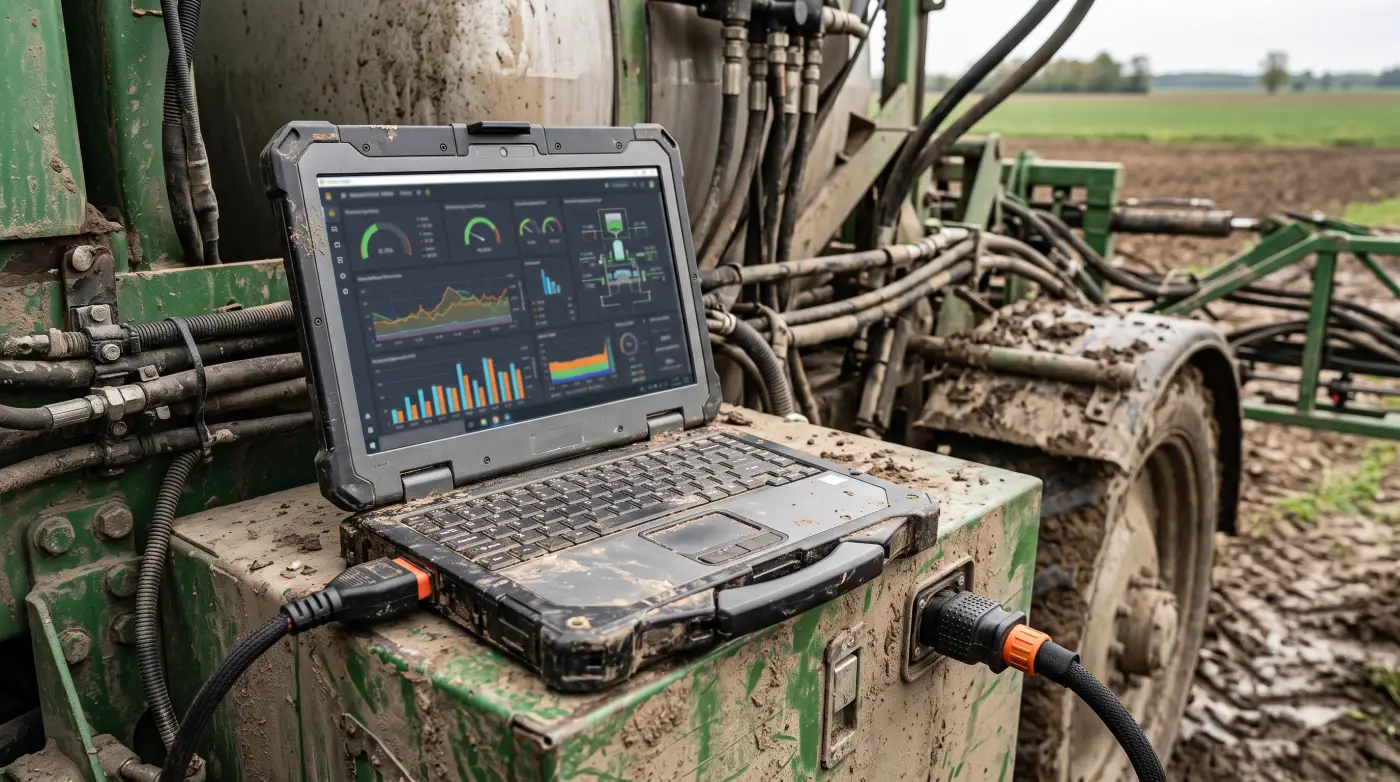
Modern row-crop and livestock operations now run on more connected hardware than most small office buildings. A single combine harvester carries a cellular modem, a satellite link, a CAN bus that ties together a dozen control modules, a touchscreen with Wi-Fi, and a cloud account tied to the dealer and the OEM. The grain bin has a cellular sensor stack. The pivot has a cellular controller. The yard cameras run on a NVR with a remote viewer app. The shop has a router that someone set up years ago and nobody has touched since. The office laptop has the accounting software, the agronomy software, the equipment portal, the bank, and the email. Any one of those endpoints, taken over by someone with bad intent, can shut down the operation, drain the bank account, or quietly leak years of operational data to a competitor or a foreign buyer.
The cybersecurity conversation in agriculture has been muddled by two extremes. On one side, vendor marketing and trade-press coverage treats every connected sensor as a doomsday vulnerability, and recommends elaborate defenses that no working farm has time to implement. On the other side, a fair number of operators dismiss the entire topic as urban paranoia and assume that nobody is going to bother attacking a farm. Both views are wrong. The actual risk is concrete, the actual attack surface is well-understood at this point, and the actual defenses are mostly low-cost things a farm can do in a weekend with no specialist help. This guide is the working version of what an operating farm needs to know, what is worth doing, and what is not.
The popular image of a farm cyberattack is a hostile state actor remotely bricking every John Deere tractor in the Corn Belt during planting. That scenario is technically possible and has been demonstrated in security research, but it is not the threat that actually shows up on operations day to day. The real attacks fall into a small number of categories that look much more mundane.
The most common category by a wide margin is financial fraud through email. A bookkeeper receives an invoice that looks like it came from the seed dealer, with updated banking instructions in the body. The payment goes to a fraudulent account, the seed dealer never gets paid, and the operation is out a five-figure or six-figure sum that may or may not be recoverable. This pattern, sometimes called business email compromise, has been the single largest source of dollar losses across all small businesses for several years running, and it hits agricultural operations particularly hard because farm-to-supplier payments are often large, infrequent, and conducted with informal communication that makes a fake email harder to flag.
The second category is ransomware. A piece of malware encrypts the files on a farm office computer and demands payment in cryptocurrency for the decryption key. The malware usually arrives through an email attachment or a malicious link, occasionally through an unpatched remote access service exposed to the internet. The direct impact is the loss of access to records, photos, agronomy data, and accounting files. The secondary impact is operational - if the office computer is also running the equipment portal or the bank login, the operation is paralyzed until the system is recovered or rebuilt.
The third category is account takeover through reused or weak passwords. An operator uses the same password for the dealer portal that they use for their personal email, the personal email gets compromised in a third-party breach, and an attacker walks into the dealer portal and changes the payment method on file. Or the bank account password gets guessed because it is the same as the password for a hobby forum that got breached three years ago. This category is the simplest to defend against and gets exploited constantly anyway because the basic hygiene is genuinely unfamiliar to a lot of operators.
The fourth category is theft enabled by surveillance. Yard cameras, GPS trackers, and equipment portals all leak position and activity data. A camera system with weak passwords or default credentials can be browsed by anyone who finds it on the internet. An equipment portal that an attacker can access shows when the operator is in the field versus the shop, when the diesel tank was last filled, when the cattle were last checked. The information itself is not always sensitive, but combined with physical access opportunities, it makes targeted theft significantly easier.
The fifth category, which is real but rare on individual operations, is operational disruption. Someone with access to a piece of connected equipment, either through a stolen account or through a software vulnerability, could in principle alter machine settings, disable the equipment, or interfere with stored data. The documented cases on commercial farms are still few, but the trend is in the wrong direction as more equipment connects and as the equipment itself becomes more software-dependent. The threat is real enough that the larger operations have started taking it seriously, but the day-to-day priority for most farms is still well behind the first three categories.
The threat actors behind these attacks are mostly criminal groups operating for money, not government intelligence services or activists. They are running automated tools that scan large ranges of internet addresses, send mass phishing emails, and stuff credentials from breach databases into login forms. A farm gets attacked not because someone targeted it specifically but because its email server, its router, its camera system, or its operator's reused password came up in an automated sweep. The defense problem is mostly about not being the easiest target in the sweep, not about defeating a determined adversary.
The single highest-value asset on most farms from a cybersecurity standpoint is the computer that runs the bank account, the equipment portal logins, the agronomy software, and the email account that receives invoices and approves payments. Compromise of that single device is the most common path from attack to material loss. Every other defense on the operation is secondary to keeping that computer clean.
A few specific practices cover most of the risk. The first is keeping the operating system and the major applications updated. Windows updates, macOS updates, browser updates, and Office or productivity-suite updates close the vulnerabilities that automated malware uses to install itself. The friction of an update prompt during planting season is real, but the friction of recovering from ransomware in the middle of planting is much worse. Setting the system to install security updates automatically and rebooting weekly during a quiet time of day handles the bulk of this without operator attention.
The second is using a separate account for daily browsing and email versus administrative work. This is not a perfect defense, but it makes a meaningful difference. Most malware that arrives through a phishing email or a malicious website needs administrator privileges to install itself system-wide. A user account that does not have administrator privileges by default forces the malware to ask for the password before it can do real damage, which is a moment where a careful user can stop the attack. Setting up a separate administrator account that is only used when installing new software, and using a standard user account for everything else, is a one-time configuration change that significantly raises the bar.
The third is a basic backup that is not connected to the network all the time. An external hard drive that gets plugged in once a week, copied to, and unplugged is enough to defeat most ransomware attacks. Cloud backup is also fine if it is configured to keep versioned copies for at least 30 days, so that an attack that quietly corrupts files for two weeks before the encryption stage can still be rolled back. The principle is that the backup needs to be inaccessible from the running system most of the time, because ransomware that finds a network-connected backup will encrypt it along with the primary data.
The fourth is endpoint protection software. The built-in Microsoft Defender on Windows 10 and Windows 11 is now genuinely competitive with paid alternatives and is sufficient for most farm office environments. Mac users get reasonable built-in protections from macOS. The third-party products are not bad, but the days of needing to pay an annual subscription for the basic functionality are largely over. The thing that matters is that some endpoint protection is running, that its definitions are kept up to date, and that the user does not disable it because it gave one false-positive alert two years ago.
The fifth is awareness training, which is the unsexy part of the program but matters more than the technical controls. The single most common entry point for ransomware and business email compromise is a person clicking on a link or opening an attachment that they should not have. Reading through a free phishing awareness module once a year, knowing what a typical fraudulent invoice looks like, and having a rule that any payment instruction change gets verified by phone with a known number before the bank account information gets updated, prevents the bulk of the financial loss scenarios.
The password problem on a working farm is real and worth a few paragraphs of its own. A typical operation has logins for the bank, the equipment dealer, the OEM equipment portal, the agronomy provider, the grain elevator, the chemical supplier, the seed company, the cooperative, the insurance company, the tax preparer, the cellular carrier, the internet provider, the satellite provider, the camera system, the irrigation controller, the weather station, the grain bin monitor, the rural utility, the fuel supplier, the parts retailer, several social media accounts, several email accounts, and a long tail of one-off logins for everything from a feed conference registration to a state pesticide reporting portal. No one remembers thirty unique strong passwords. The result, on most farms, is that the same three or four passwords get reused across most of those accounts, and several of those passwords are simple enough to guess from public information about the operator.
The fix is a password manager. The category has matured to the point where it is no longer a niche tool. Bitwarden, 1Password, and a few others are mature, well-reviewed, and either free or modestly priced. The password manager generates a unique strong password for every account, stores them encrypted, and fills them in through a browser extension or a phone app. The operator only has to remember one strong master password to unlock the manager. The benefits compound over time as old reused passwords get replaced with unique ones, and a breach at any individual service no longer threatens any of the other accounts.
Two-factor authentication, often called 2FA or MFA, is the second piece. With 2FA enabled, logging into a critical account requires the password plus a code from a phone app or a hardware key. An attacker who has stolen the password through a phishing site or a credential dump cannot get in without the second factor. The priority accounts to add 2FA to are the bank, the email account that resets all the other passwords, the equipment dealer and OEM portals, the cellular and internet provider accounts, and any account that handles money or payments. SMS-based 2FA, where the code comes by text message, is significantly better than nothing but is vulnerable to SIM swap attacks where a thief takes over a phone number. App-based 2FA through Google Authenticator, Authy, or the password manager itself is much stronger. Hardware keys like Yubikeys are the strongest but add cost and complexity that most operations do not need.
The single highest-leverage cybersecurity action for a working farm that has not done it already is adding 2FA to the bank account and the primary email account. Those two changes alone close off most of the path that financial fraud and account takeover attacks rely on. Everything else is secondary to those two.
The home or shop router is the front door to every device on the operation that connects to the internet. A router with default admin credentials, outdated firmware, or unnecessary remote management features turned on is the single largest network-side exposure on most farms. The fix is straightforward and one-time.
Change the router admin password from the default to something unique and strong, stored in the password manager. The default admin credentials for nearly every consumer router model are published in databases that automated scanners use to compromise routers en masse. Updating the admin password defeats this category of attack entirely.
Set the router firmware to update automatically if the feature is available. If not, check for an update every six months or so and apply it. Most router compromises in the wild rely on vulnerabilities that the manufacturer has already patched but the operator has not installed.
Turn off remote management of the router unless it is actively needed. Most consumer routers have a feature that lets the admin interface be reached from the public internet. This feature is almost never necessary for a small operation and is a routine entry point for attackers. The setting is usually labeled "Remote Administration," "Remote Access," or similar in the router settings page.
Use WPA3 or WPA2 with a strong Wi-Fi password. WEP and WPA are both broken and should not be in use anywhere on the operation. If the router does not support WPA2 at minimum, it is old enough to need replacement.
Create a separate guest Wi-Fi network for visitors, contractors, and devices that do not need access to the main farm network. Most modern routers have a built-in guest network feature. The point is to keep an infected laptop brought in by a visiting contractor from reaching the office computer or the cameras.
If the operation has cameras, smart sensors, or other IoT devices, putting them on a separate network or VLAN is significantly more secure than putting them on the main Wi-Fi alongside the office computer and the personal devices. Many modern routers, especially mesh systems like Eero, Google Nest, or higher-end TP-Link and Ubiquiti gear, make this reasonably easy to configure. The IoT network has internet access but cannot reach the main network, which contains the bulk of the things that are damaging if compromised.
Connected farm equipment is the part of the operation where the security situation is genuinely complicated, partly because the equipment is engineered with a different model than consumer technology and partly because the operator has limited control over the security of devices they do not actually administer.
A modern tractor or combine is a computer network on wheels. The CAN bus that links the engine control unit, transmission, hydraulics, GPS, display, and implement connections is a real network that runs at real network speeds. The cellular modem that connects the machine to the OEM cloud is a real internet connection that can be reached from anywhere with the right credentials. The display software is a real operating system, usually Linux-based, with the usual concerns of any software platform. Security researchers have demonstrated, repeatedly and publicly, that this stack has exploitable vulnerabilities. The OEMs have responded with varying degrees of urgency over the past five years, and the situation is improving, but it is not solved.
The practical defenses on the equipment side are limited but not zero. The dealer portal and the OEM customer portal are the points where the operator has the most control, and the password and 2FA discipline covered above applies fully to those accounts. A compromised dealer portal account is the most direct route for an attacker to access a connected machine, change machine settings, or pull data off the cloud.
Keeping the equipment firmware updated through the dealer matters in the same way that updating the office computer matters. The OEMs push security patches to machines through the dealer network, and a machine that has not been to the dealer in two years is missing two years of patches. The friction is real because dealer trips are not free, but rolling firmware updates into normal service visits keeps the equipment current without dedicated downtime.
Reviewing the data sharing settings in the OEM portal is worth a few minutes a year. The default settings on most OEM systems are toward maximum data sharing with the manufacturer, the dealer, and various third-party agronomy partners. The settings that are actually useful for the operation are usually a subset of the defaults, and dialing back the unnecessary sharing reduces exposure if any of the third parties is breached. The agronomy and yield data is the most sensitive category - it represents years of operational and economic intelligence that has real value to competitors and to commodity buyers - and the question of who has access to it is worth thinking through deliberately.
The unauthorized-modification angle deserves a mention because it cuts both ways. Operators who want to repair or modify their own equipment outside the dealer network sometimes use unofficial tools that bypass the OEM's controls. These tools work, but they also frequently introduce security weaknesses, because the bypass methods often involve disabling authentication or running code on the machine that did not come from the OEM. An operation that has gone down this path for legitimate right-to-repair reasons needs to be aware that the security posture of the modified machine is no longer what the OEM is responsible for. The right-to-repair argument is real and worth supporting, but the operator who chose to bypass OEM controls is also the operator responsible for the security of the modified system.
The internet of things layer on a farm - the grain bin sensors, the water-level monitors, the weather stations, the yard cameras, the gate openers, the cattle scales - is the part of the network where the security maturity is lowest and the attack surface is largest. The devices are typically built down to a price, often by small manufacturers who do not have dedicated security teams, often running outdated software versions for years after the device is in the field. The defense priorities for this layer are network segmentation, password hygiene, and a realistic view of what each device is actually exposing.
The network segmentation point covered above is the single largest defense. Putting IoT devices on a separate network means that a compromised camera cannot be used as a foothold to attack the office computer. The compromise itself may still happen, but the blast radius is contained.
Default passwords are the single largest contributor to IoT compromise. The convention with cheap connected hardware is that every unit ships with the same default admin password, which is published in the manual and indexed in search engines. Automated scanners run through internet-connected devices testing these passwords and compromise tens of thousands of cameras and sensors per day. Changing the default password on every device on first install, and using a unique password per device from the password manager, takes this category of risk to near zero.
Disabling features the operation does not actually use is the next layer. Many IoT devices ship with cloud features, remote access services, microphone arrays, or other capabilities that the operator does not need but that increase the attack surface. The camera that only needs to be viewed from inside the home Wi-Fi network does not need its cloud portal active. The grain bin sensor that talks only to the manufacturer's app does not need additional remote access features turned on. The principle is that every feature that is not in active use is a feature that does not need to be exposed.
Considering the manufacturer matters more than it does for higher-end gear. A camera or sensor from a major brand with a security disclosure process, a documented update path, and a track record of fixing reported vulnerabilities is materially safer than a generic device of unknown provenance. The price difference is typically two to three times for the better gear, which is real but not large in the context of a farm budget, and the security difference is large enough to justify it for any device that is going to be on the network for years.
The cybersecurity program is not complete until there is a documented plan for what to do when something goes wrong, because something eventually will. The shape of the plan is straightforward: who to call, what to disconnect, what to preserve, and how to recover.
The phone tree is the first item. The list of people who need to know about an incident is short and specific: the bank fraud department for any financial compromise, the local sheriff or state agriculture department for theft or equipment compromise, the FBI's IC3 portal for any cyber-enabled financial fraud over a few thousand dollars in losses, the cellular and internet providers for any account compromise on their end, the OEM and dealer for any equipment compromise. Writing down the phone numbers and account numbers ahead of time, in a place that is accessible even if the office computer is down, saves hours during an incident.
The disconnect-first principle applies to any suspected ransomware. The first action is to pull the network cable, turn off the Wi-Fi, and isolate the affected computer from everything else on the network. Most ransomware attempts to spread laterally before encrypting, and the spread is what makes a single-machine infection into a whole-operation incident. Isolation buys time to evaluate the damage and plan a response.
Preservation matters for the legal and insurance side. If there is any chance of insurance coverage, law enforcement involvement, or a civil case against an identified attacker, the affected systems need to be preserved in their compromised state for a forensic examination. The instinct to wipe and rebuild immediately is understandable but destroys the evidence trail. The right move is to disconnect, document with photos and notes, and consult with the insurance carrier and a forensic professional before any recovery work begins.
Recovery is faster from a good backup than from any other source. The backup that exists, that is current, and that is not network-connected during the attack is what gets the operation back running. A bare-metal restore of the office computer from a recent backup takes hours. A rebuild from scratch with no backup takes days to weeks. The value of the backup is most apparent on the bad day.
Cyber insurance is worth considering for any operation with significant revenue. The policies have matured over the past few years and are now reasonably affordable for farms in the few-million-dollar revenue range. The coverage typically includes incident response support, ransomware payment if the operation chooses that route, business interruption, and liability coverage for any third-party impact. The cost is usually a few thousand dollars per year. The value is most obvious during the first hour of an incident, when having a phone number for a covered incident response team is worth more than the annual premium.
The cybersecurity program for a working farm is a multi-year effort, but the priority list is short and the highest-impact items can be done in a weekend. The order that matters:
Enable 2FA on the bank account and the primary email account. This is the single highest-leverage change and takes about thirty minutes including reading the instructions.
Install a password manager and start using it for new accounts. The transition for existing accounts can happen over the next year as each account gets used. The new accounts get strong unique passwords from day one.
Update the router admin password, update the router firmware, and turn off remote management. This is also about thirty minutes of work and closes off one of the largest network-side exposures.
Set up automatic operating system and security updates on every computer and phone that the operation depends on. Reboot weekly during a quiet time. The friction of an update prompt is much smaller than the friction of a recovery effort.
Set up a backup that is current and that gets disconnected from the network most of the time. The format does not matter much - external drive, cloud backup with versioning, a NAS that is only powered on during the backup window - as long as it actually exists and gets verified periodically.
Inventory the accounts that handle money or that could be used to spend money in the operation's name. Add 2FA to each one. Update each one's password to a unique strong password.
Look at every IoT device on the network. Change any default passwords. Move them to a guest or IoT network if the router supports it. Check that the manufacturers are still updating firmware for them.
The rest of the program - segmentation, training, incident response planning, insurance, equipment portal hygiene - is real work but is much less urgent than the items above. An operation that has done the top items has dealt with the bulk of the practical risk. The rest closes off the remaining tail.
The thing that is genuinely different about farm cybersecurity versus office cybersecurity is the time and attention available, not the threat itself. The attacks are the same attacks that hit small businesses everywhere. The defenses are the same defenses that work for small businesses everywhere. The challenge is fitting them into an operation that is already running on the margin of available time. The right approach is to treat them as one more category of routine maintenance, like grease zerks on the planter or filter changes on the tractor, that gets done once and stays done with light annual attention. The downside of skipping is real and increasingly common. The cost of doing it is small and almost entirely one-time.
Business email compromise, a form of financial fraud, not a tractor being remotely bricked. A bookkeeper receives a fake invoice appearing to come from the seed dealer with updated banking instructions, and a five- or six-figure payment goes to a fraudulent account. It has been the largest source of dollar losses across small businesses for years. The defense is a rule to verify any payment-detail change by phone first.
Start with the accounts you control. The dealer and OEM equipment portals are the most direct route to a connected machine, so protect them with a unique strong password and two-factor authentication. Keep machine firmware current by rolling security patches into normal dealer service visits, and review the OEM data-sharing settings yearly, since defaults lean toward maximum sharing of your sensitive agronomy and yield data.
Enable two-factor authentication on your bank account and the primary email that resets every other password. Those two changes alone close off most financial-fraud and account-takeover paths. Use app-based codes from Google Authenticator or Authy rather than text-message codes, which are vulnerable to SIM-swap attacks. Pair it with a password manager like Bitwarden so every account gets a unique strong password.
Change the default password on every device the moment it is installed, because shared default passwords are the single largest cause of IoT compromise and automated scanners test them constantly. Put cameras and sensors on a separate guest or IoT network so a compromised camera cannot reach the office computer. Disable cloud or remote-access features you do not use, and favor manufacturers with a real update track record.
Join our list for practical guides on farm tech, precision agriculture, and tools that work.